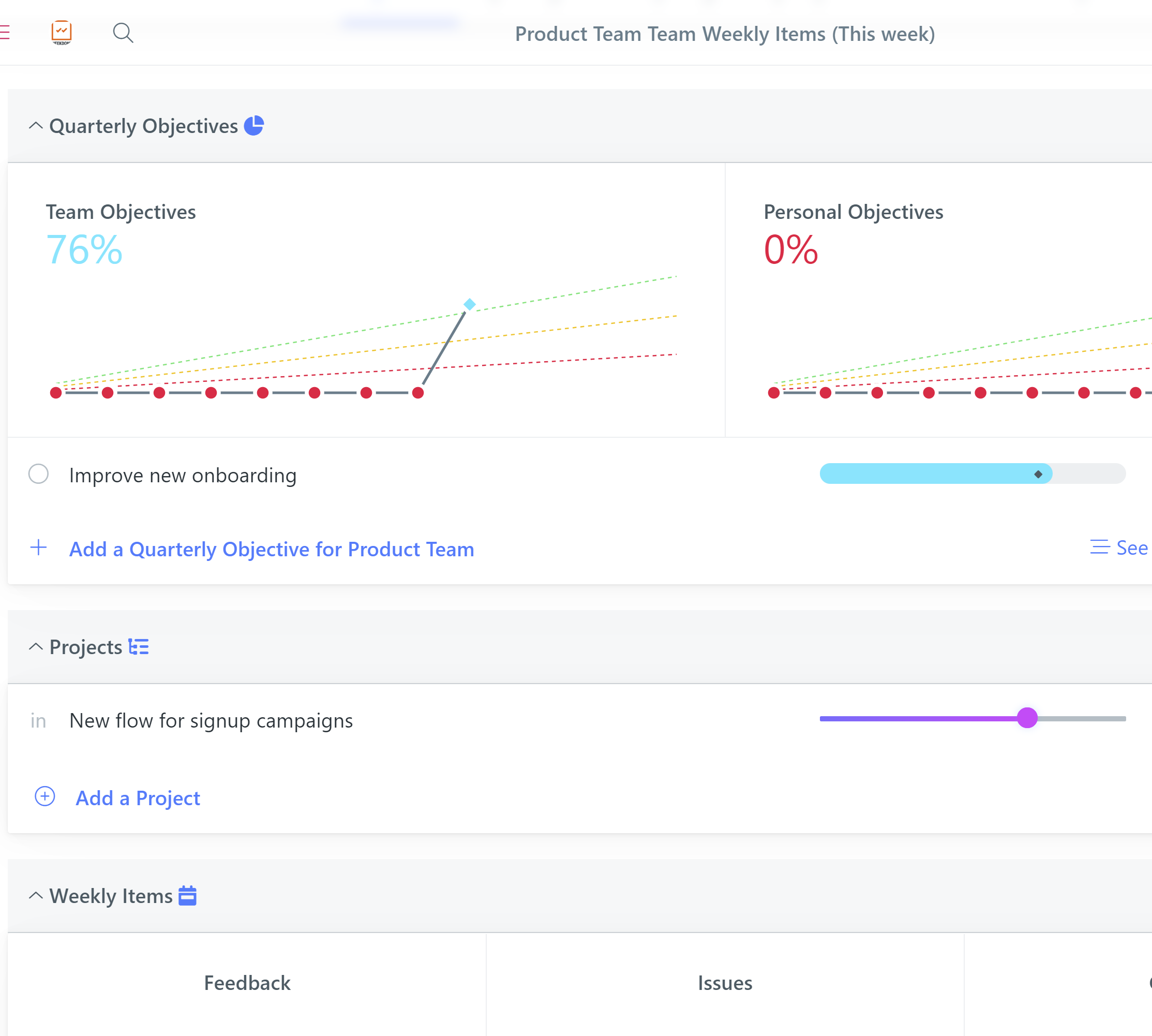
Weekdone has always been about people getting impactful work done each week. But it's also much more. It's getting an encouraging pat on the back from co-workers and leaders. It's about how you feel at work. It's about the weekly rhythm of people performing.
For over 10 years successful teams have used us for full continuous performance management. That includes employees setting quarterly goals and listing key projects, updating these and their plans and progress weekly, telling how you feel, what you think, what are your weekly insights and lessons learned. It's all summed up by receiving feedback from others.
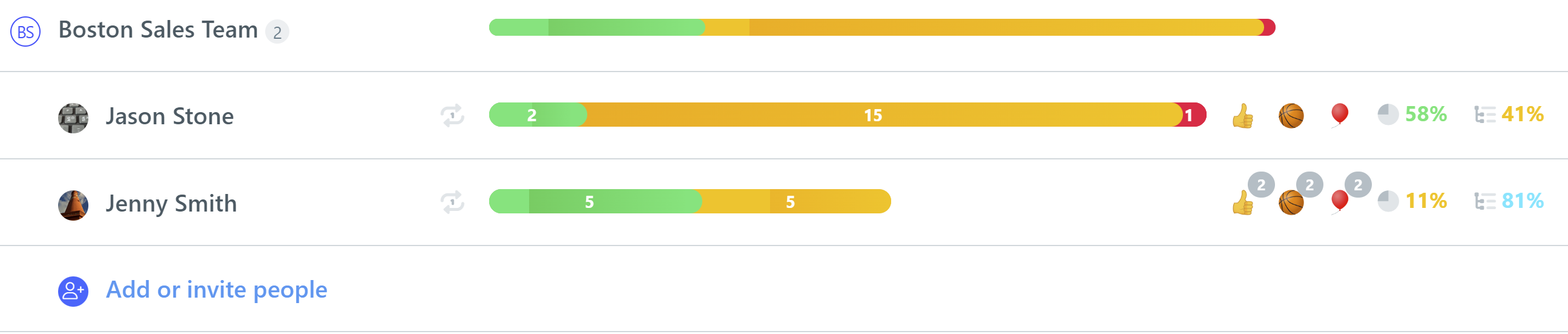
We've now updated our weekly people views to make at-a-glance overview of how each person is doing much quicker and easier. They now show:
The Plans-Progress-Problems weekly item counts as colored bargraphs
Quarterly Objectives and Projects progress % color-coded for hitting that week's expectation
Upvote counts from co-workers for "👍 Good Job!", "🏀 Great Teamwork!" or "🎈 Keep it up!" received
Private 1:1 weekly review being submitted by the person that week
Here is how it looks in the company, department and team views of the People or Weekly Planning section:
For leaders using Weekdone successfully, this has always been the best view to start looking at their weekly employee updates. Hopefully the additional icons give a much better 360-degree view of who's the person to focus on. As a reminder, clicking any person name or bargraph opens their weekly update in full.
We hope to also show the 5-point satisfaction ratings in the list in the future. Stay tuned and let us know your feedback!